So it’s been two weeks since my Drobo arrived from Amazon
What’s a Drobo?
In 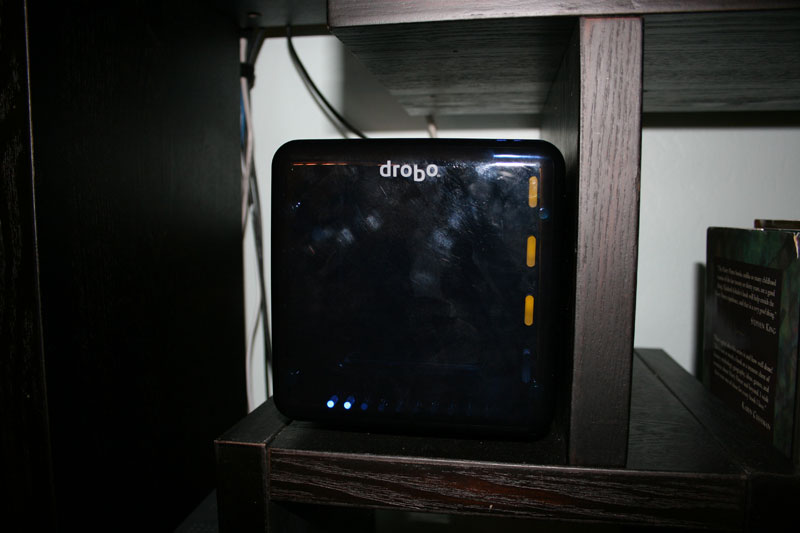 a nutshell, Drobo is an external device that takes four hard drives and makes them appear as a combined, larger one to your Mac or PC. A better way to describe Drobo might simply be magic. Arthur C. Clarke’s third law of prediction states “any sufficiently advanced technology is indistinguishable from magic.” That very much applies here because, as far as I’m concerned, what Drobo does is magical. Take four hard drives of any size, from any manufacturer, slide them into the Drobo and not only do you get a larger pool of storage, but all of the data is redundantly backed up.
Think about that.
Without any technical know-how, special tools, or backup schedules, all of your data is safely stored away without any intervention on your part. If one of the drives fails, you just pull it out and put a new one in it’s place — all while Drobo is up and running.
I could go on and on about how cool all this is, but I think it’s best if you just take ten minutes and watch the Drobo introductory video yourself. My jaw was on the floor the first time I watched it. It’s totally worth your time if you haven’t seen it.
The Drobo Mindset
I’m pretty fanatical about backing up my data. My backup process is always evolving, but lately it has been a combination of multiple, external hard drives, Time Machine, .Mac, and Amazon S3. Even with all that, it’s still a struggle. Hard drives fill up, and large files (over 1GB) are problematic to store in multiple locations. It’s easy to get neurotic about keeping your data safe. But after using the Drobo for a few days, after getting into the Drobo mindset, a sense of calm came over me. I know it sounds crazy to wax philosophical about a glorified hard drive, but it’s true. I realized that I could stop worrying about the two biggest problems I faced backing up my data:
- Storage capacity — if get low on space, I just replace the smallest drive in Drobo with a new, larger one. I can never run out of room.
- Data redundancy — as long as two drives inside Drobo don’t fail at the same time (a slim possibility) and barring acts of god or theft, any data I store is safe.
My Setup
My  wife and I have four computers in our house: two Mac laptops, an iMac, and a Mac Mini. Everything is wireless except for the Mini which is connected to our living room TV and hardwired into an Airport Extreme. The Drobo is connected to the Mini and shared throughout the network via AFP. (I’ve found the Airport Extreme’s USB sharing feature to be flaky at best with any hard drive — so I never attempted to connect Drobo to it.)
The two laptops and my wife’s iMac do regular Time Machine backups wirelessly to Drobo. (My laptop does an additional, full SuperDuper! clone to a drive at work every afternoon.) Also stored on the Drobo is a mirrored copy of my iTunes library (so Front Row on the Mini can access my music), disk images of important (read: large) software like Office, Creative Suite, and even my OS X install DVD. Plus a couple hundred gigs of photos, home videos, and movies and TV shows we’ve bought and ripped from DVD. All in all, Drobo is holding nearly a terabyte of data.
This data used to be spread across two external drives attached to the Mini and the Mini itself. Not only was none of it backed up, but it was confusing trying to remember which drive held which data. Now everything is organized and available in one location. If we want to watch a movie or TV show, there’s only one place to look.
How Does Drobo Perform in the Real World?
All the convenience Drobo affords wouldn’t be worth anything if it didn’t perform well. Fortunately, it’s very good. Not perfect — but definitely up to snuff.
I say it’s not perfect because in an ideal world Drobo would connect via Firewire 800 rather than the comparatively slow USB 2.0 standard. So you’ll definitely notice a speed hit if you’re a Mac user with an ultrafast Firewire drive. Typically, though, USB 2.0 is the norm. And, for the type of usage I throw at Drobo, it’s more than acceptable in most situations. Most of my access is over the network where I’m limited by the 300Mbps bandwidth of my wireless N router versus the 320Mbps (480Mbps theoretical) speed of USB 2.0.
But what about when Drobo is connected directly to a computer instead of over the network? When I first got it, I initially had to transfer over all the data on my existing drives. From an Iomega Firewire drive plugged into my MacBook Pro, I was able to copy files to Drobo at about 1GB per minute. Considering I had over 500GB to transfer, that sucked. Fortunately, that’s really just a one-time penalty. I usually don’t move more than a few gigs at any one time, so waiting a minute or two (especially over the network) isn’t a deal breaker for me.
The bottom line is that I would never use Drobo for intensive operations like a Photoshop swap disk, but for most normal situations it’s great.
What about noise? Is Drobo loud? With four hard drives spinning inside, it’s definitely not going to be silent. I can hear its fans and the “click” of the hard drives in a quiet room. But with any sort of background noise like music or a TV, I never notice that it’s there. The volume is comparable to the noise a Wii makes when its disc is spinning up to full speed.
Little Known Drobo Facts
The  faceplate that you remove to access the drives is magnetic. It pulls off and snaps into place with a satisfying thwpp. Also, the inside of the faceplate has a quick reference chart of what Drobo’s various status lights mean.
Drobo has an internal, rechargeable battery that provides enough time during a power loss to finish the data it was writing and leave itself in a “safe state” as the manual puts it.
When running, the drives are hot to the touch. Not the Drobo — I mean if you remove the faceplate and touch the four drives inside. The Drobo itself stays cool. Even the air the fans blow out the back is relatively cool.
There is a small reset button on the back you can press with a paperclip to reset the data on the Drobo. I don’t know exactly what this does technically speaking. I imagine it just marks all the data as “erased” — I can’t imagine it actually zeroes out all the bits.
It’s 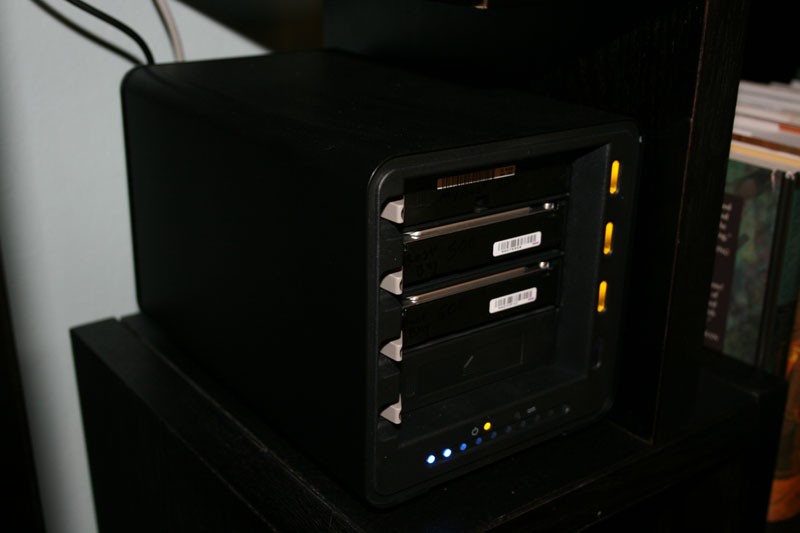 bigger than I expected. In hindsight, I should have anticipated the size considering it has to be big enough to hold four hard drives plus room for a fan and circuitry. Still, it’s definitely not pint sized.
Drobo comes with software you can install on your Mac or PC to get detailed status info, but it’s not necessary to actually use the device. For example: each drive has a status light which shows the current health of the drive. There’s a line of ten blue LEDs which give you a percentage of the total capacity used. More clever even, what happens if you’re running dangerously low on space but the Drobo is out of sight so you can’t see the capacity gauge? Drobo artificially slows down write operations to alert you of the problem.
For technical reasons, Drobo always reports that its total capacity is 2TB, however the reported amount of disk usage is correct. If you use large enough drives to push the total capacity over 2TB, Drobo makes the extra space appear to be on a separate volume. The manual says this is necessary because of a limitation in the USB 2.0 protocol.
The Final Verdict
Is the Drobo awesome? Most definitely. If you’re looking to buy one and you liked this review, consider buying it via this Amazon link